

SQL Delta Help
System Preferences
System Preferences contains the global SQL Delta settings used across the application. In the current Version 7 dialog, the settings are arranged as a left-hand navigation list with separate sections for Locations, Project Settings, Display, Colors, DB Server Options, Email, and Proxy.
Locations
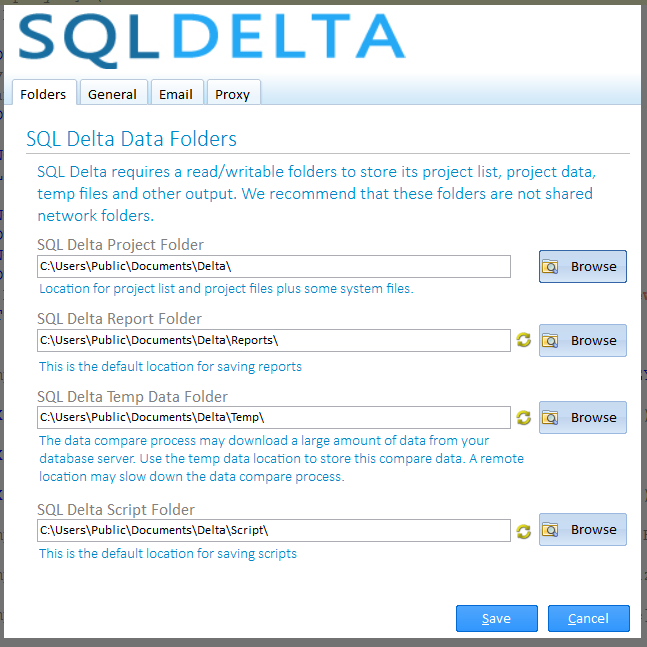
The Locations section manages the default folders used by SQL Delta:
- SQL Delta Project Folder: stores the project list, project files, and related settings.
- SQL Delta Report Folder: the default save location for reports.
- SQL Delta Script Folder: the default save location for scripts, including automatically saved data scripts.
- SQL Delta Temp Data Folder: the working location used for temporary data, including Data Compare output.
Each location can be edited directly or changed with the Browse buttons. The current dialog validates that the project folder path is valid and already exists.
Changed Project Folder

When the project folder changes, SQL Delta can offer a follow-up card rather than silently switching everything in place:
- If the new folder already contains a project list and settings, the dialog offers Load Now or Overwrite.
- If the new folder does not contain settings yet, the dialog offers Save Settings or Start Fresh.
- The folder-specific Revert buttons return generated subfolder suggestions to their previous locations.
- Copy to other folders regenerates the related report, script, and temp folders from the project folder when you want them aligned again.
Project Settings and Display
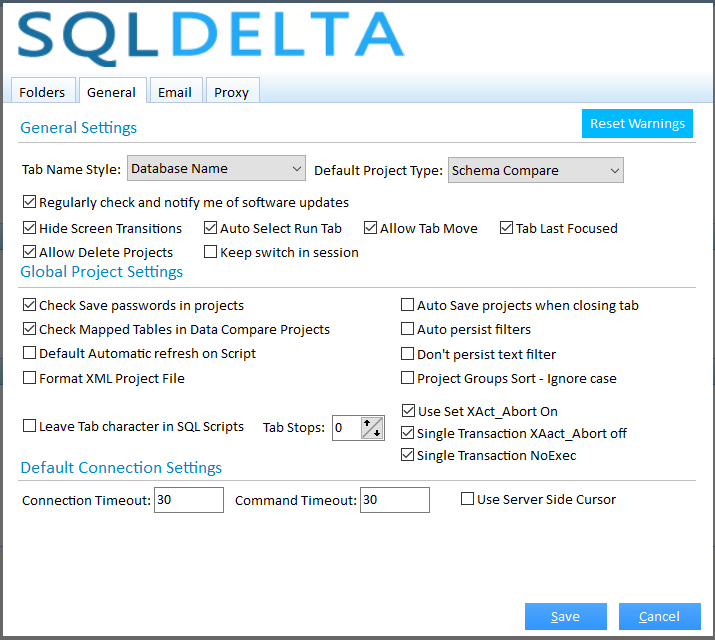
The current preferences dialog splits general behavior across Project Settings and Display:
- Project Settings includes the default project type, update notifications, password-saving defaults, Data Compare mapped-table behavior, auto-refresh after compare, XML formatting, auto-save on tab close, filter persistence, project-group sort behavior, and delete-project-file behavior.
- Display includes theme selection, tab name style, auto-selecting the run tab, Ctrl+Tab ordering by last focus, tab moving, switch-state retention for the current session, project-manager odd/even row coloring, SQL tab-character handling, tab-stop width, and warning reset.
- The dialog also includes separate Colors and DB Server Options sections.
DB Server Options
The DB Server Options section defines default connection behavior such as connection timeout, command timeout, use of a server-side cursor, and transaction-scripting options like Use Set XAct_Abort On, the single-transaction override, and NoExec. The current form can also show MySQL-specific defaults such as using an external DLL or an embedded connection style when those options are relevant.
Email Configuration
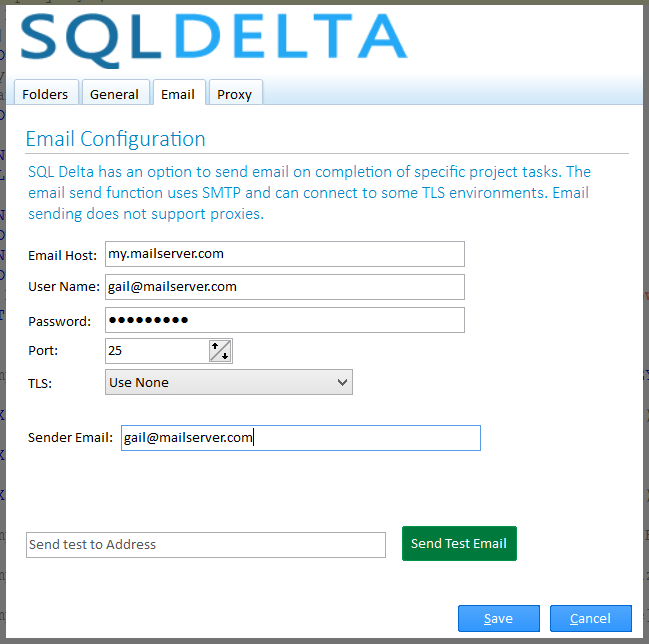
Email is used for On Completion actions that send SQL Delta output by SMTP. The current section includes:
- Email Host, User Name, Password, and Port
- TLS with the current options Use None, Use Implicit TLS, Use Requires TLS, and Use Explicit TLS
- Sender Email
- Send Test Email to verify the SMTP details
The current form also states that email sending does not use proxy settings.
Proxy Configuration
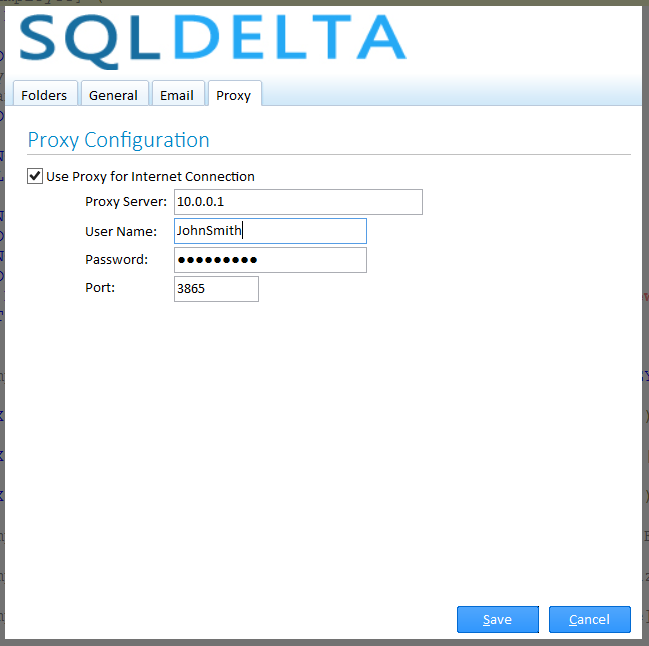
The Proxy section only affects SQL Delta internet access to its web services. It does not change how SQL Delta connects to database servers.
The current proxy controls include Use Proxy for Internet Connection, Proxy Server, User Name, Password, Port, and Authentication. The available authentication modes are None, Basic, Digest, and NTLM.
The screenshots on this page still reflect an older System Preferences layout and should be treated as placeholders until current Version 7 replacements are captured.
See also: Main Screen, Projects, and Deactivation.