

SQL Delta Help
Deactivation
SQL Delta tracks the number of installs of SQL Delta and this equates to the number of active licenses. The activation process updates the license count on the sqldelta.com server and will restrict the activation of SQL Delta if you have exceeded your license count.
There are times where you may wish to uninstall SQL Delta from one computer and install on another computer. To do this we recommend you first Deactivate SQL Delta. This releases a license so you can install SQL Delta on the second computer.
Deactivation requires a connection to our web server to update your account details and this is normally automatic if you have Internet access. Alternatively there is a manual deactivation option within the Deactivate dialog, or you can visit https://client.sqldelta.com and deactivate the installation from the client portal.
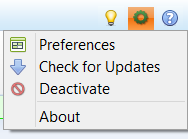
Firstly select the main menu and then Deactivate.
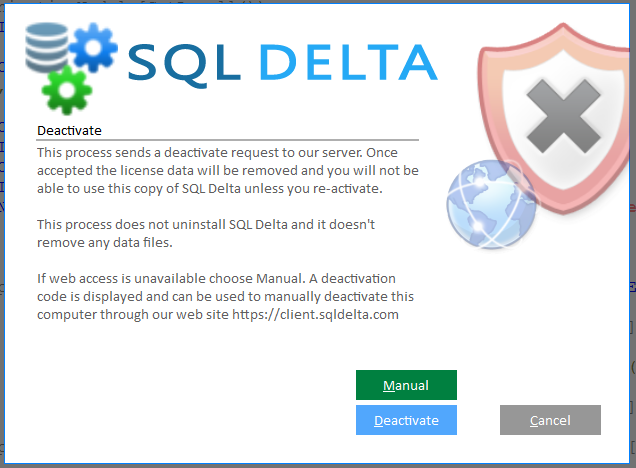
Then click Deactivate to automatically send the request to our web server. If the request succeeds, SQL Delta confirms the deactivation and then closes.
Alternatively click Manual. SQL Delta deactivates the local license immediately and shows a deactivation code in the dialog. Save that code, then proceed to https://client.sqldelta.com and register the manual deactivation there.
You must have activated your copy of SQL Delta before you can deactivate.