

SQL Delta Help
Manual Activation
Manual Activation takes a few more steps than automatic activation, but it is available when the SQL Delta machine does not have Internet access.
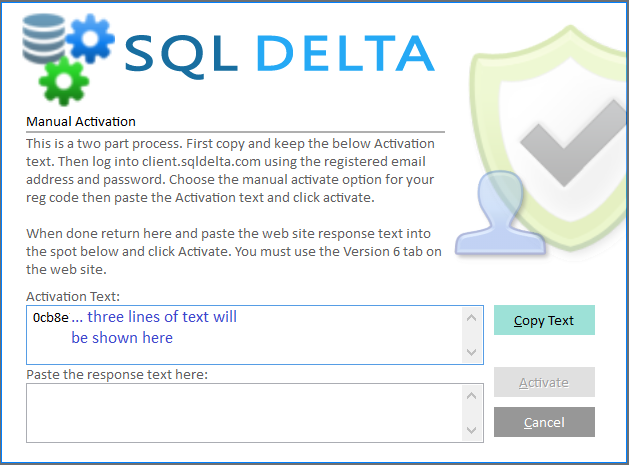
The manual activation screen generates the activation data for this computer and registration code and displays it as 3 lines of text. Use the Copy action to copy the full block exactly as shown.
That activation data is then entered into the SQL Delta Client Portal, which returns a response code for this installation.
Important!
The client portal workflow can vary between product generations. The activation data is version-specific and is not interchangeable, so make sure you use the manual-activation path that matches your installed SQL Delta version and registration code.
Step 1
Copy the Activation Text from the SQL Delta screen. Save it to a text file or print it if that is more convenient.
Step 2
Visit client.sqldelta.com and open Manual Activation for the registration code you used. Paste the activation text into the portal.
Step 3
Copy the response text returned by the web site and save or print it if needed.
Step 4
Paste the web site response text into the response box in SQL Delta and click Activate.
If the response text is accepted, activation completes immediately. If the response text is rejected, request a new response from the web site and try again.
See Also: Activation